MED · Current Release & Notes

What's new in MED

Current release MED2026 2026.0.0925a Sep 25, 2026

The AutoCAD electrical and controls tools I've built over decades of real project work. Free and open source. Draw it once in 2D, get the 3D model and the material list from the same drawing.

Windows installer · AutoCAD 2020–2024 · MIT license · No sign-up needed

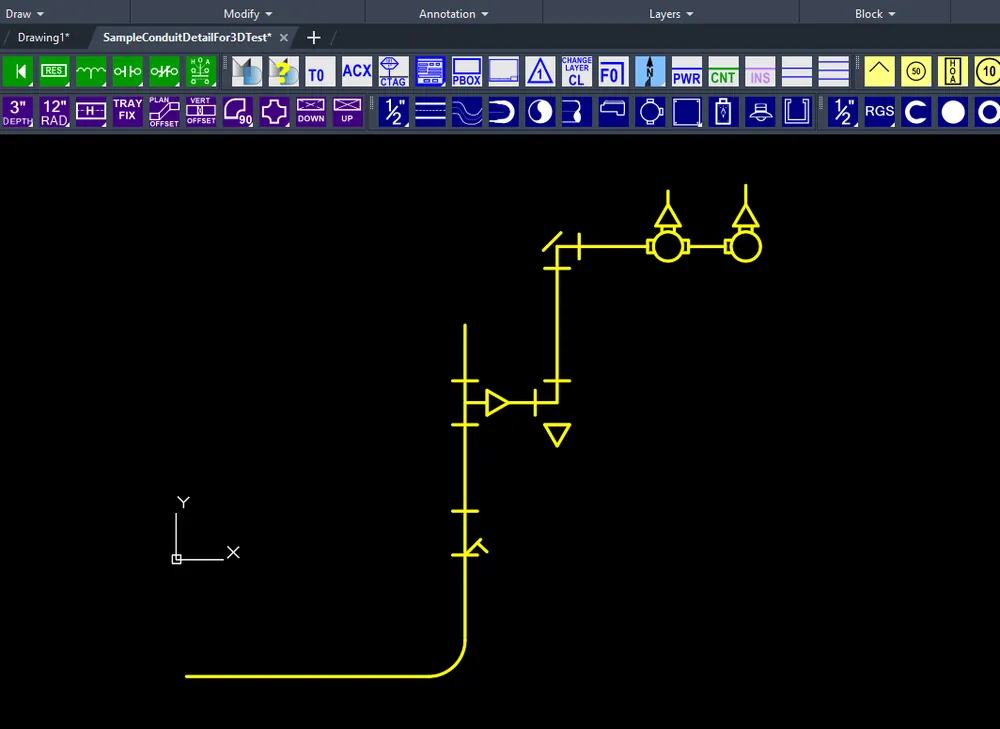
One conduit run in MED: the 2D drawing, the 3D model, and the material list
One conduit run: 2D drawing → 3D model → material list
FreeMIT open source
2020–2024AutoCAD versions
2D · 3D · BOMFrom one drawing
Setup + PatchInstall or update
In the download today

Same drawing. Three outputs. Nobody retypes anything.

Details, plans, 3D models, material data. Each one answers a different question for somebody on the job: the designer, the estimator, the crew in the field. MED keeps them all coming from the same drawing.


A conduit run drafted in 2D with MED in AutoCAD
01 · Draft

2D drawing

Draft the run the way you always have. MED puts the material data on the entities as you draw.

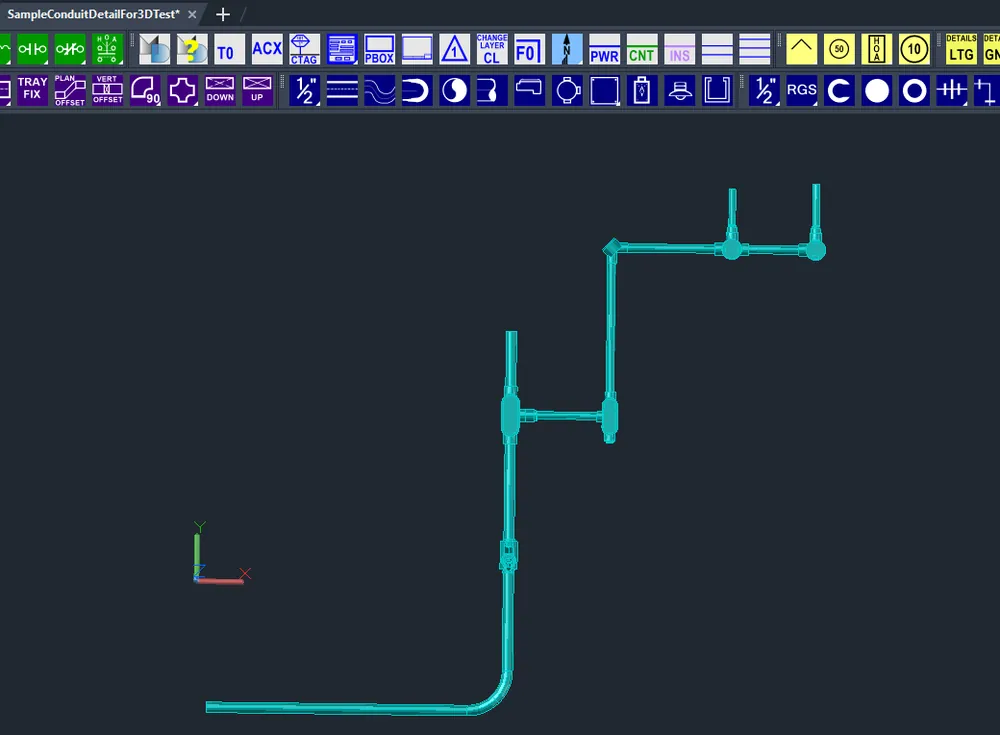
The same conduit run modeled in 3D by MED
02 · Model

3D model

The same run, modeled in 3D. No second drawing to keep in sync.
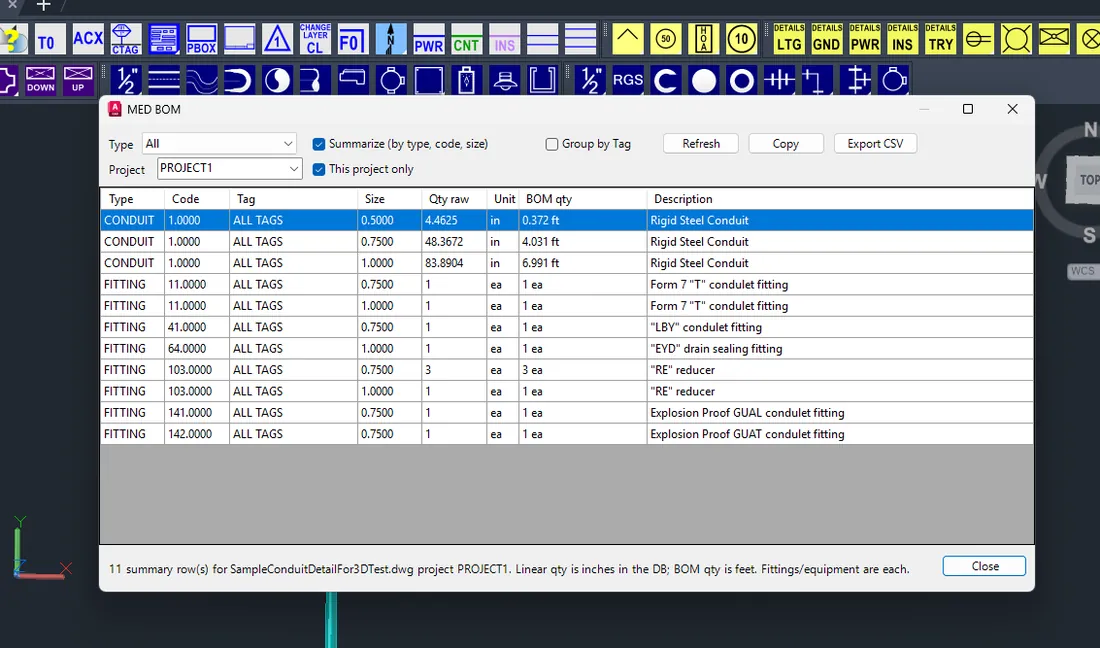
MED material list pulled from the drawing
03 · Count

Material list

The BOM comes straight from what's in the drawing. Browse it, filter it, export it.
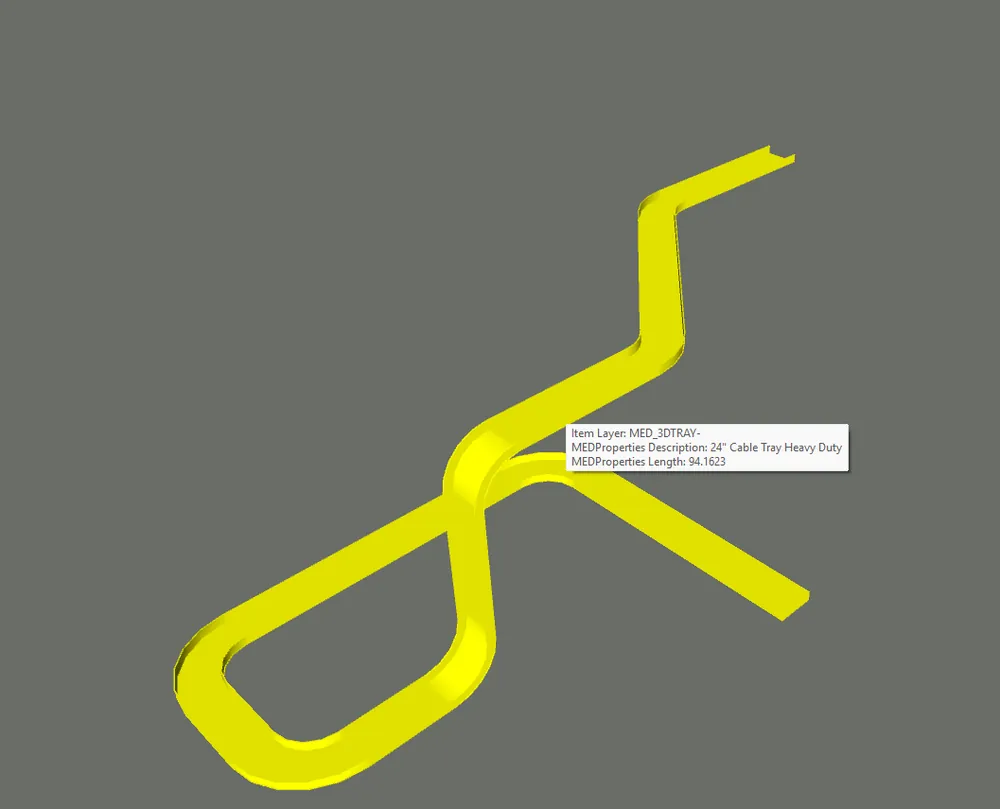
Selecting a MED tray in Navisworks shows its MED properties
Coordination

Your MED data shows up in Navisworks

Select a tray in Navisworks and the MED properties are right there: description, length, the same data you built in AutoCAD.

Handy when you're coordinating and don't want to bounce back to the drawing just to check something you already tagged.

2026.0.0925a release notes

  • Registration email fix. The optional install registration page no longer rejects addresses like first.last@company.com. Fixed in both Setup and Patch.
  • Safer patching. The Patch checks that MED is actually installed before it touches anything, and warns you before it installs over a newer version.
  • Profile repair. RestoreMEDProfile.cmd rebuilds or repairs the MED2026 AutoCAD profile if it gets messed up.
  • 3D tray export ignores running OSNAPs and writes a .medprops.json sidecar with the MED properties next to the DWG.
  • No surprise reboots. Setup and Patch stopped asking for a restart because of unrelated pending file renames (printer drivers and such).
Coming next · MED2026 2026.0.1005a

3D conduit, a 3D block library, and a whole new ribbon

This is the biggest build since launch. It's still a work in progress, but here's what's on the bench.
WIP preview 2026.0.1005a is a pre-release I'm still testing. The 3D features, the new ribbon and the docs are being reviewed. The Download button above gets you the current release (0925a) until this one is promoted.
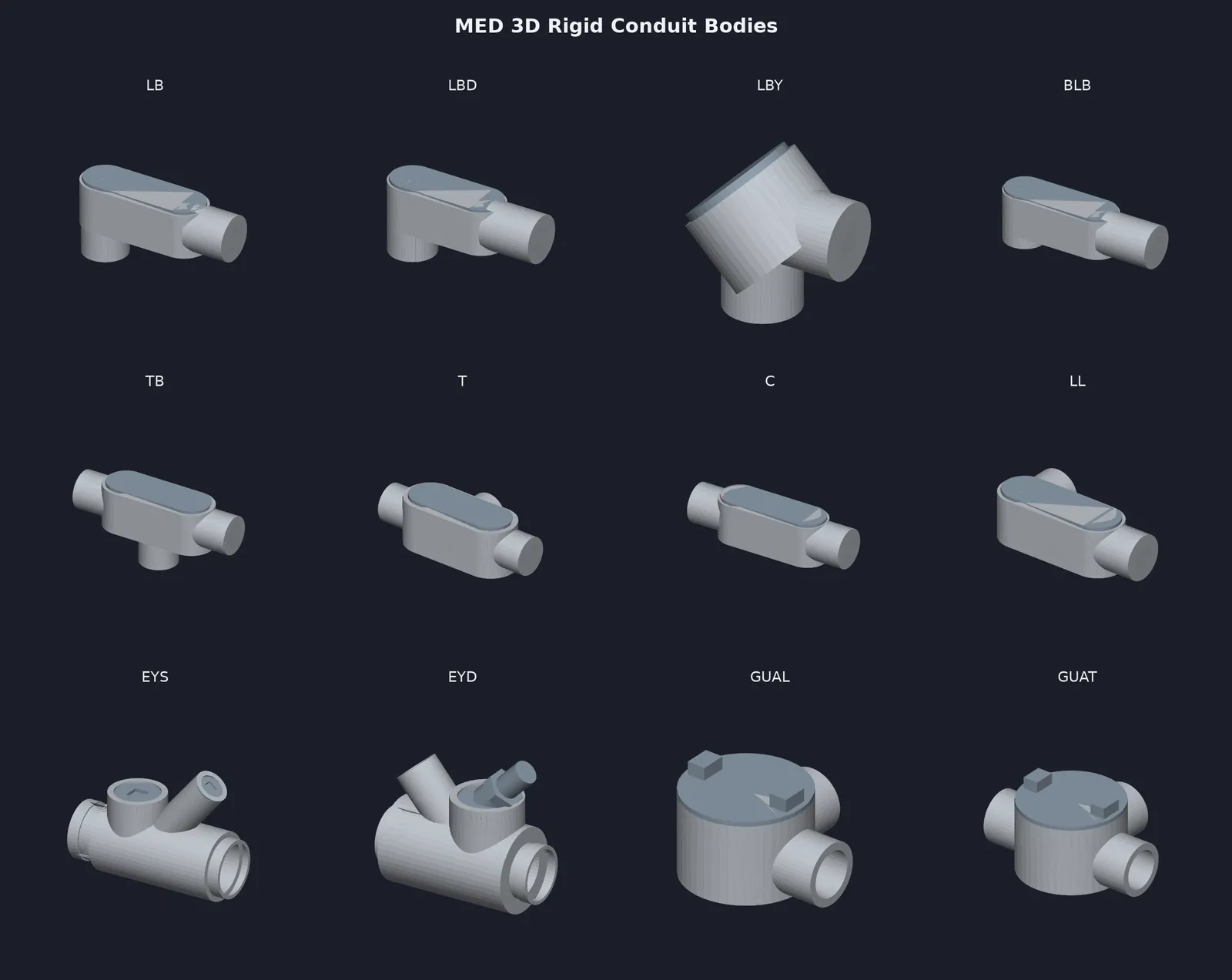

MED 3D rigid conduit bodies: LB, LBD, LBY, BLB, TB, T, C, LL, EYS, EYD, GUAL, GUAT
3D conduit bodies

Place the fitting. Get a sized 3D body.

Fittings placed from the menu become sized 3D bodies at the conduit elevation, and the conduit trims back to the hub faces. Dimensions come from Crouse-Hinds / Eaton catalogs where they're published.

Mirrored inserts get flagged ("re-insert, do not mirror") instead of being modeled wrong.
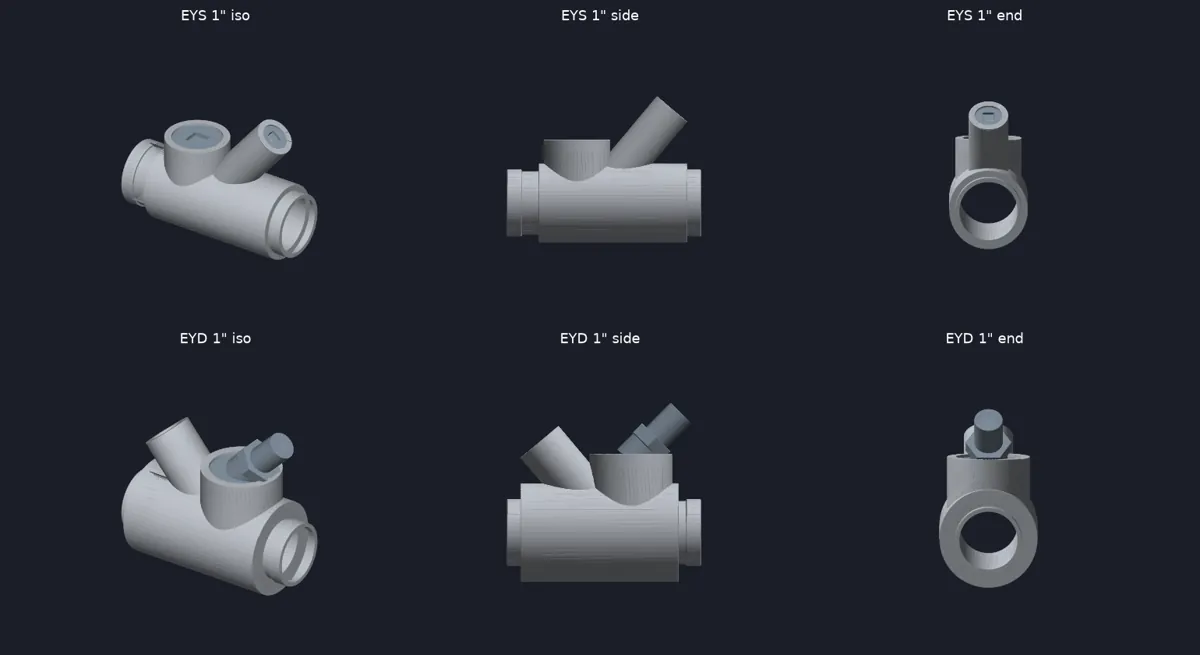
LBLBDLBYBLBTBTCLLLRXEYSEYDGUALGUATGUAXUNYMogulHubsReducers
EYS and EYD sealing fittings modeled in 3D in several orientations
MEDMAKE3D

One command builds the whole model

Tray and tray fittings, then conduit, conduit bodies and cable. It asks once for Dwg or Layer output and tells you what it made, flagged and skipped.

Bends are true fillets, and solids are sized by conduit type, so 1/2" EMT isn't drawn as rigid.
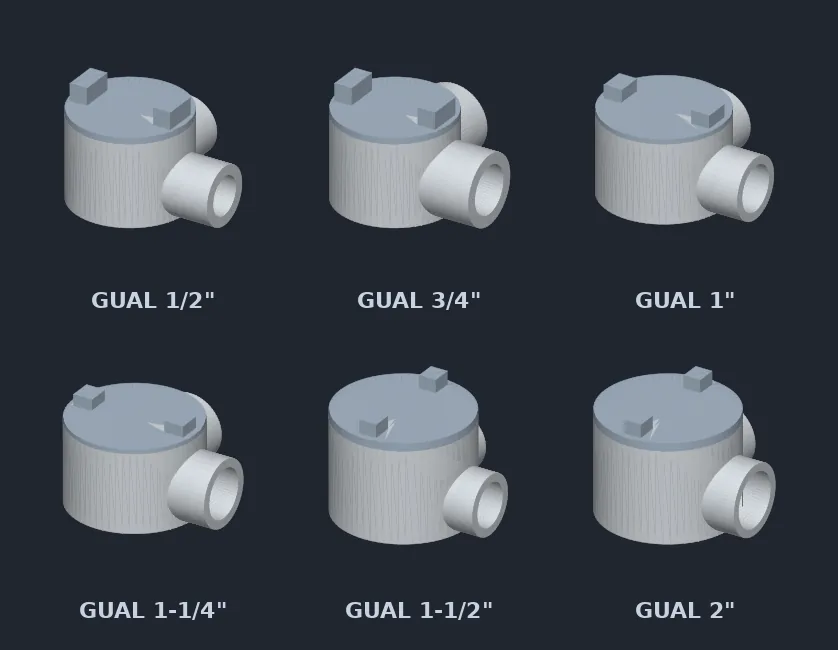
GUAL conduit outlet bodies in six sizes, 1/2 inch to 2 inch
GUA fittings + MEDCBGRID

GUA boxes, 1/2" to 2", checked against real DWGs

GUAL / GUAT / GUAX in 3D. MEDCBGRID lays out every fitting orientation at drawing scale, so you can check them all before you commit to a model.
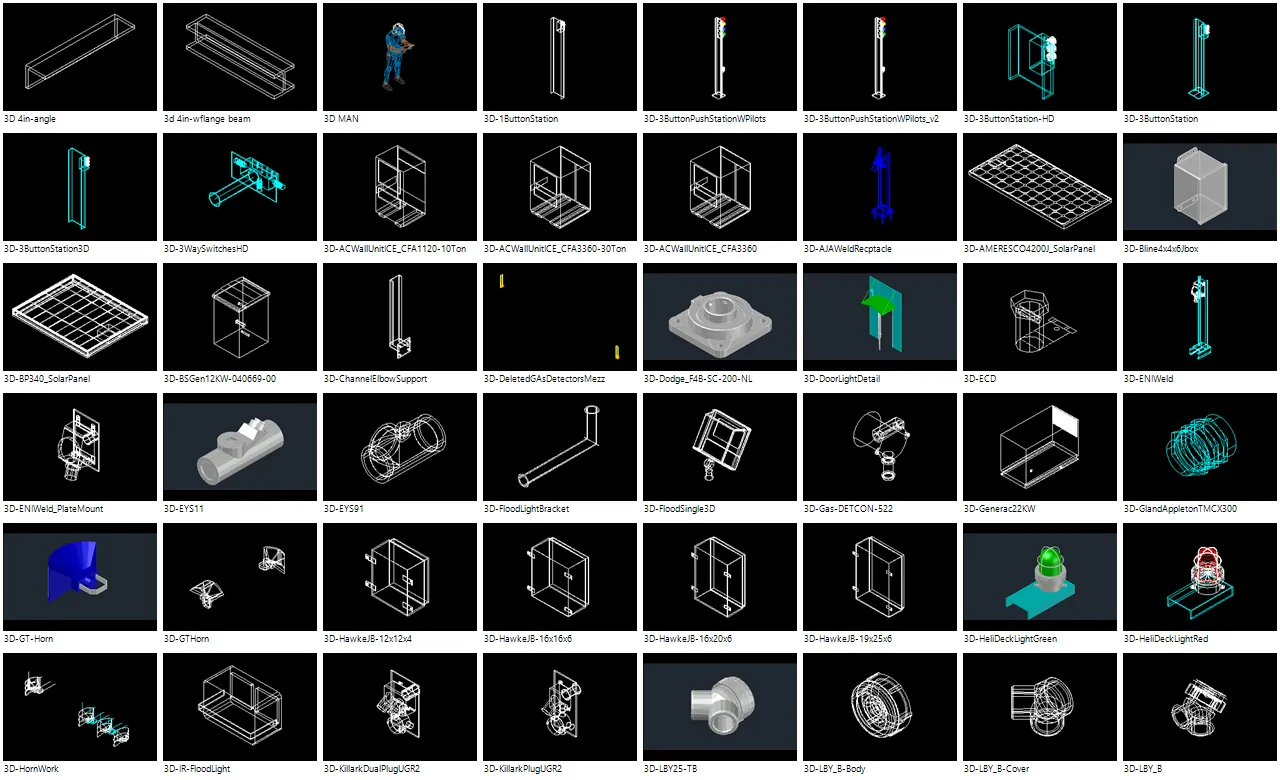
MED3DLIB palette showing 3D block thumbnails
MED3DLIB · 385 blocks

A 3D block library that docks right in AutoCAD

385 3D blocks in 22 categories: lighting, power equipment, conduit fittings, strut, cable tray, J-boxes, structural, detectors and more. Search, thumbnails, drag and drop to insert.
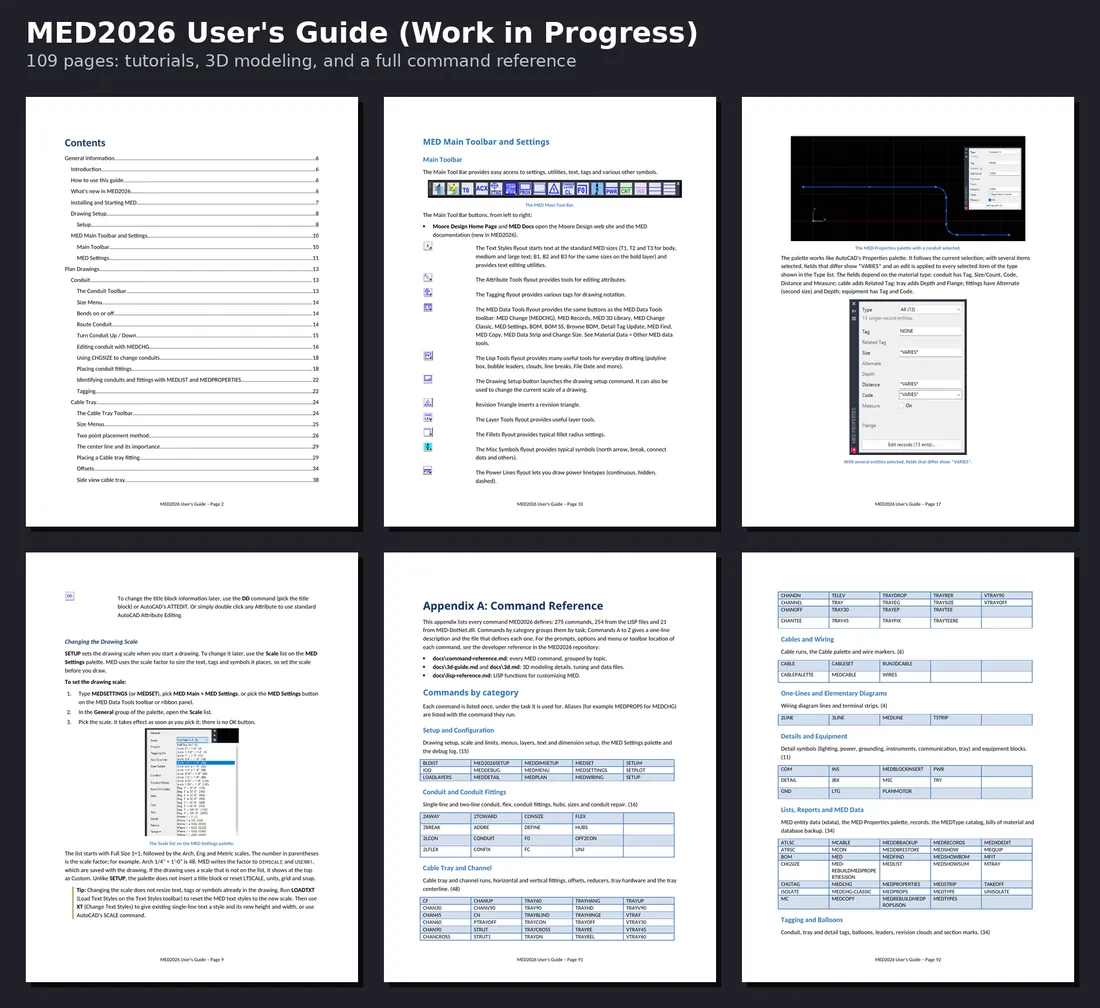
Pages from the MED2026 User's Guide draft
Docs

A 109-page User Guide and full command reference

Tutorials, a new 3D Block Library chapter, a command appendix and an AutoLISP reference. It's still a draft with items marked [VERIFY], so treat it that way.

The new MED Main ribbon tab: Mode, MED Data Tools, 3D and Text panels
New MED ribbon

MED Main stays up. Plan, Detail or Wiring follows what you're drawing.

MEDPLAN, MEDDETAIL and MEDWIRING flip the tab to match your drafting mode (MEDRIBBONMODE). MED Records, MED Change, BOM, MED 3D Library and Make 3D are all one click away.
Animated tour of the 1005a highlights: 3D conduit bodies, data tools, GUA fittings, MED3DLIB, new ribbon, User Guide
The 30-second tour

All of 1005a in one loop

3D conduit bodies, the data tools, GUA fittings and MEDCBGRID, MED3DLIB, the new ribbon and the User Guide.

Also in this build

Parametric MOTOR (20 sizes, 0.5–200 HP, 2D for now) · BOMSS is back · Browse BOM opens MEDSHOWBOM · MEDDEBUG logging · a stack of pulldown and block fixes · the Patch now updates all of Support, so ribbon and menu changes reach patched seats.

3D disclaimerMED 3D models are approximations, not copies of manufacturer specifications; users must verify all dimensions.

Release history

Every build since launch

2026.0.1005aWIP pre-releaseOct 5, 20263D conduit and conduit bodies, MED3DLIB, new ribbon, MOTOR, User Guide draft
  • MEDMAKE3D: one command for tray, tray fittings, conduit, conduit bodies and cable.
  • Rigid conduit body 3D fittings (C, LB, LL, LR, T, TB, X, LBD, LBY, Mogul, GUA, UNY, EYS / EYD, hubs, reducers) plus MEDCBGRID.
  • MED3DLIB palette with 385 3D blocks in 22 categories, installed under Dwg3D.
  • New MED ribbon (Main + Plan / Detail / Wiring), BOMSS back, Parametric MOTOR, MEDDEBUG, pulldown and block fixes.
  • Not on the Download button yet. See "Coming next" above.
2026.0.0925aCurrentSep 25, 2026Registration email fix, plus everything in 0924h and 0924g
  • Install registration accepts addresses with a dot before the @ (first.last@company.com). Setup and Patch.
  • Includes the 0924h patch guards, RestoreMEDProfile.cmd and the Data README cleanup.
2026.0.0924hSep 24, 2026Patch install and downgrade guards, profile repair
  • Patch requires an existing MED install and defaults to %MED2026% or C:\MED2026, never Documents.
  • Warns before installing over a newer version. Re-running the same version still works as a repair.
  • RestoreMEDProfile.cmd ships with MED to re-create or repair the MED2026 AutoCAD profile.
2026.0.0924gSep 24, 20263D tray export fixes, no more reboot prompts
  • Make3DTray saves, clears and restores OSMODE so running OSNAPs don't interfere.
  • Tray export writes a {dwg}.medprops.json sidecar beside the saved DWG.
  • Setup and Patch no longer prompt for a reboot over unrelated pending file renames.
0904aLaunchSep 10, 2026MED goes open source: first public Windows installer
  • First public MED2026 installer. Default install C:\MED2026, SQLite seed database (SQL Server optional).
  • AutoCAD 2020–2024. Core tools: MEDTYPE, MEDSETTINGS, MEDCABLE, MEDCHG, MEDSHOWBOM, CONDUIT, TRAY, CABLE, BOM.
Watch & read

See it in AutoCAD

Try it on your next drawing

Free, open source, no account wall. If you want help rolling it out or cleaning up your CAD standards, email me.